geometry dash - spam challenge
Geometry Dash - Spam Challenge: The Ultimate Creator Test
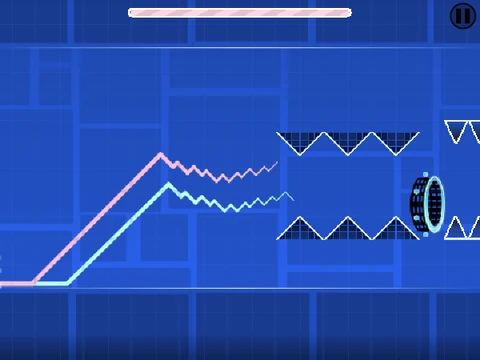
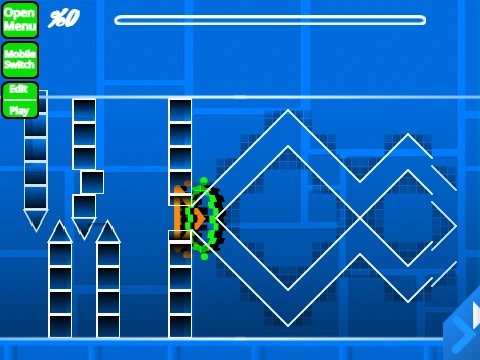
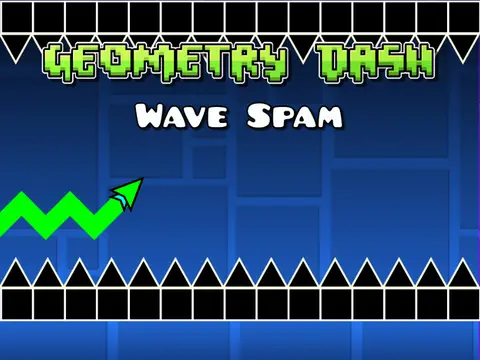
Dare to call yourself a spam legend? Geometry Dash - Spam Challenge questions if you have what it takes. This is more than a level; it's a full-fledged, browser-based Geometry Dash level editor and simulator, offering an incredible depth of creative and gameplay tools.
Performance Note & Setup
Important Lag Warning: For a smooth experience, it is highly recommended to play using Turbowarp or enable Turbo Mode. The project allows full customization: add your own music via the backdrop and save your levels by remixing the project initially and saving your progress.
Dual-Mode Gameplay: Play & Create
Toggle between Play Mode and Editor Mode by pressing Z and M.
- Play Mode Controls: Click to jump, fly, and activate objects. Press I and O for a 'no-clip' free-fly option. Rate finished levels from 0-9 on the end screen.
- Editor Mode Controls: A comprehensive toolkit for building.
- Cycle block menus: 1 / 3.
- Cycle blocks: 4 / 5. Eraser: 2.
- Settings: I+O. Debug Menu: O+P.
- Place blocks by clicking. Rotate with R.
- Rotation/Nudge Menu: R+E (Reset with R+O).
- Trigger Menu: Press F.
Comprehensive Feature Set & Version History
The editor launched (v1.0) with an impressive array of features: all standard blocks and platforms, chain/pulse decorations, gravity portals, every player mode (cube, ship, ball, UFO, wave, robot, spider), pads, orbs, color triggers, spikes/dangers, slopes, dash orbs, cross blocks, black blocks, layout blocks, mini/mirror/dual portals, saws/gears, and speed changers. Updates included a progress bar (v1.1), numbers on the bar (v1.2), mobile editing controls (v1.3), and portal bug fixes (v1.4).
This project stands as a monumental fan creation, a versatile toolkit for anyone wanting to design, test, and share their own Geometry Dash-style challenges directly in a web browser.