geometry dash spam level
Geometry Dash Spam Level: The Ultimate Browser-Based Editor
Important Performance Note: Geometry Dash Spam Level - Editor Edition is a massively feature-packed level creation suite that can be resource-intensive. To combat potential severe lag, it is strongly advised to play this project on Turbowarp.org. The built-in "Turbo Mode" offers limited relief.
This is a legitimate, community-developed level editor that empowers you to create full-fledged Geometry Dash experiences. Check out the source project for context: Original Sneakyness Project on Scratch. Need help? Join the community discussion: Support Studio Comments.
Unmatched Feature Set for Creators
This editor delivers an astonishing array of tools, providing a near-authentic creation environment:
- Complete Character Roster: Build sections for Cube, Ship, Ball, UFO, Wave, Robot, and Spider game modes.
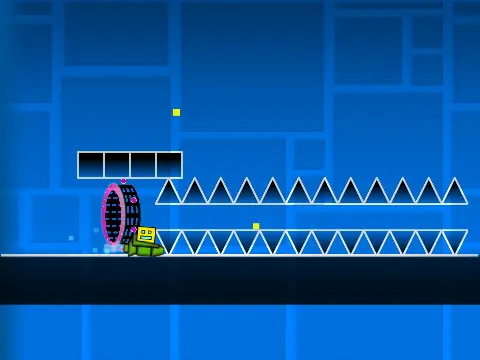
- Extensive Object Library: Place standard and grid blocks, platforms, decorative pulses/chains, gravity portals, jump pads (yellow/blue), and all orb types (including Dash Orbs).
- Advanced Gameplay Triggers: Utilize color triggers, speed changers, and portals (Mini, Mirror, Dual) to design complex sequences.
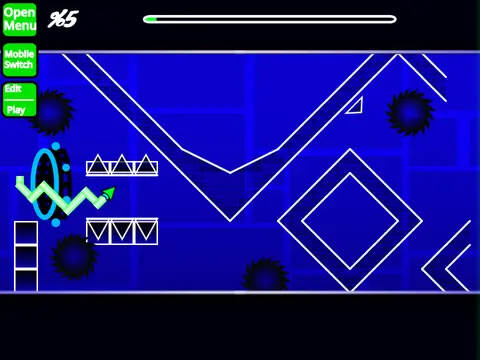
- Danger & Design Elements: Incorporate spikes, moving saws, gears, slopes, and special blocks like cross, black, and layout blocks.
Intuitive Dual-Mode Control System
Toggle between building and testing instantly with the 'Z' and 'M' keys.
Editor Mode Mastery:
Navigate: Cycle block menus (1/3), browse items (4/5).
Edit: Place with a click, erase with 2, rotate with R (use R+E for precision, R+O to reset).
Advanced: Open the trigger menu (F), settings (I/O), or debug panel (O/P).
Playtest Mode Features:
Play: Click to jump/fly/activate.
Debug: Toggle no-clip mode with I/O.
Feedback: Rate your creation (0-9) on the completion screen.
Essential Creator Workflow
Custom Audio Integration: To add your own music, enter the backdrop editor, remove default sounds, and import your audio file.
Saving Your Masterpiece: You must first remix the project to claim your own copy. Thereafter, saving your level is as simple as saving the Scratch project file.
Continuous Development & Updates
This active project has evolved through several versions:
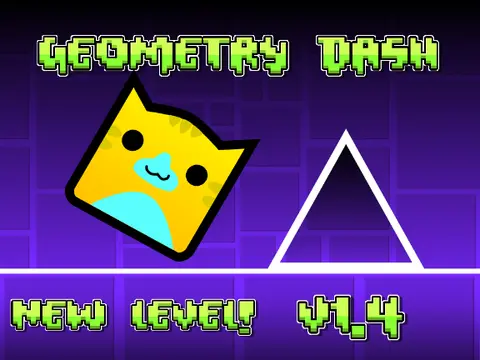
v1.4: Fixed portal functionality bugs.
v1.3: Introduced controls for mobile editing.
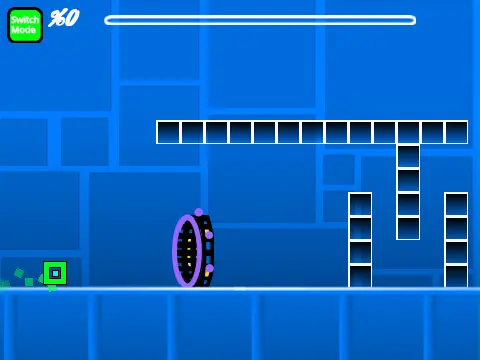
v1.2: Enhanced the progress bar with numerical indicators.
v1.1: Added the progress bar for playtesting.
v1.0: Launched with the core, comprehensive toolset.
For aspiring level designers seeking a deep, browser-accessible Geometry Dash editor, this Spam Level project represents a powerful and educational toolkit, despite requiring a robust browser environment for optimal performance.