geometry dash level editor - v1.4
Geometry Dash Level Editor V1.4: Your Gateway to Unlimited Creation
Unleash your inner game designer with this robust and feature-packed Geometry Dash Level Editor built on Scratch. This tool provides an authentic environment to craft, test, and share custom levels, mirroring the creative freedom of the original game. It's the perfect starting point for aspiring creators wanting to dive into level design.
Powerful Editing Suite at Your Fingertips
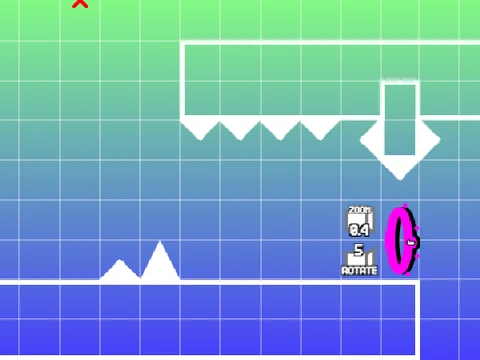
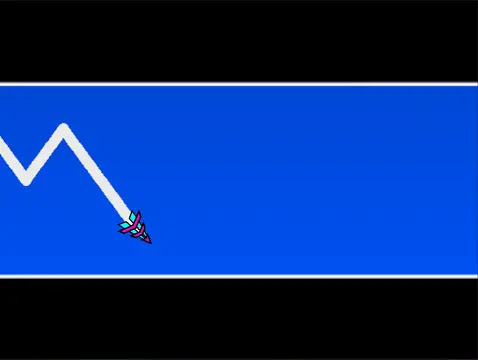
The editor boasts a comprehensive library of objects. Build your levels using various blocks, platforms, and decorative elements like pulsing and chain decorations. Incorporate essential gameplay mechanics with all seven game modes: Cube, Ship, Ball, UFO, Wave, Robot, and Spider. Control the flow with gravity portals, speed-changing portals (Mini, Mirror, Dual), jump pads, orbs (including Dash Orbs), and slopes. Add challenge with dangers like saws and gears, and use advanced triggers like the Color Trigger for dynamic effects.
Intuitive Controls for Seamless Workflow
Switch effortlessly between Play Mode and Edit Mode by pressing Z and M. In the editor, navigate block menus with 1/3, select items with 4/5, and use 2 for the eraser. Rotate objects with R, access a fine-tuning menu for rotation and nudging with R+E, and reset them with R+O. Press I/O for settings and O/P for the debug menu. The F key brings up the trigger menu for advanced placement.
As a player, control is simple: click to jump, fly, or activate orbs. For testing convenience, press I and O to activate a no-clip mode that lets you pass through obstacles. Upon completing a level, rate it from 0 to 9 on the end screen.
Performance Tips & Project Management
A Lag Warning is advised for complex levels. For the best experience, play using Turbowarp or enable Turbo Mode within Scratch. To add your own soundtrack, edit the backdrop to delete the default music and upload your choice. Saving your progress is straightforward: simply remix the project to create your initial save file, and save the project normally thereafter.
Continuous Development and Community
This editor represents dedicated development, with code by the creator and sounds/assets credited to specific Scratch projects and RobTop's original game. It includes a link to the official level "The Beginning." The project has seen consistent updates, from the foundational 1.0 release adding core objects to version 1.3 introducing mobile editing controls and 1.4 fixing portal-related bugs. Join the community by posting your created levels in the linked studio and find answers in the dedicated question studio.