hristo geometry dash spam test
Hristo Geometry Dash Spam Test: A Full-Featured Online Level Editor
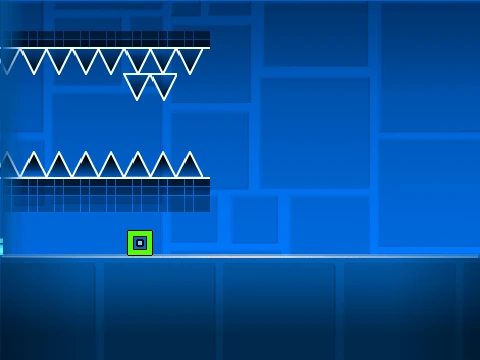
Experience the capabilities of a comprehensive Geometry Dash level editor built directly in your browser with Hristo Geometry Dash Spam Test. This powerful tool has attracted a significant community of creators and players. Important Performance Note: To ensure smooth operation, it is strongly advised to run this project on Turbowarp.org/558930579 or enable Turbo Mode in Scratch, as the standard Scratch player may struggle with the complexity.
Getting Started & Best Practices
This editor is packed with features, so reviewing all instructions first is key. For expert tips and tricks, visit the dedicated guide at https://scratch.mit.edu/projects/543078285/. The environment is intended for creative work, and sharing is encouraged but should be related to the editor itself.
Workflow Essentials:
- Adding Music: Navigate to the Backdrops library, remove default tracks, and upload your own audio file to create a custom soundtrack.
- Saving Your Level: Always start by remixing the project. To save your progress at any point, use the platform's native "Save" function.
Comprehensive Control Guide
General: Press Z and M to switch between Editor Mode and Play Mode.
Player Controls:
- Click to jump, fly, switch gravity, and activate orbs.
- Press I and O to enable 'no-clip' mode for free movement.
- At the end screen, press keys 0 through 9 to rate the level.
- In Practice Mode, press Z to place a checkpoint.
Editor Controls (Extensive):
- Block Selection: Cycle menus with 1/3. Navigate items with 4/5.
- Tools: Press 2 for Eraser. Z picks a block. F opens Triggers. B opens Detect menu.
- Block Manipulation: Click to place. Use R to rotate, T for 45-degree increments. Press E for rotation/nudge settings, R+O to reset them.
- Settings & Debug: I/O for settings. O/P for debug menu.
- Save/Load in Editor: Press 9 to save your current layout and 0 to load it—a crucial feature for iterative design.
Feature-Rich Development History
This editor has been through major updates, each adding significant depth:
Version 2.0 Update
Introduced professional tools: Save Codes, Move Trigger, Alpha Trigger, Instant Count Trigger, Keys & Coins, Color/Glow Blocks, Teleport Portals, 3D Objects, Thorns, Swing Copter mode, more decorations, and Fade effects.
Version 1.2 Update
Added numeric percentage display on the progress bar for better feedback.
Version 1.0 Foundation
Included all core elements: Basic and grid blocks, platforms, pulsating/chain decorations, gravity portals, all seven core game modes (Cube, Ship, Ball, UFO, Wave, Robot, Spider), pads, orbs, color triggers, spike dangers, slopes, dash orbs, cross/black/layout blocks, mini/mirror/dual portals, saws, gears, and speed changers.