super mario 2d world maker lightweight ver. ver 1.2 remix
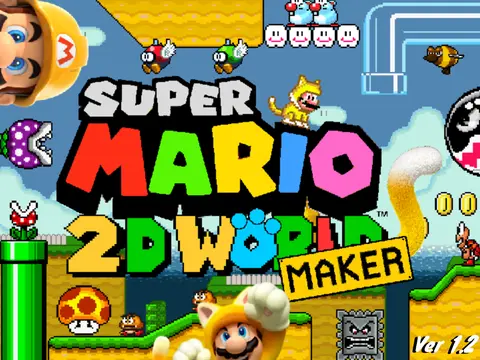
Super Mario 2D World Maker Lightweight Ver. 1.2 Remix: Craft Your 2D Mario Adventures
Super Mario 2D World Maker Lightweight Ver. 1.2 Remix delivers a powerful and intuitive 2D level editing studio, inspired by the vibrant world of Super Mario 3D World. This optimized version provides a smooth, performance-enhanced platform for both creators and players to design, share, and enjoy custom Mario levels.
Master the Comprehensive Level Editor
The heart of the experience is its user-friendly yet deep editor. Navigate your canvas with WASD or Arrow Keys, holding X for faster camera movement. Select and manipulate objects with your mouse, cycling through Place, Erase, and Pick modes (E key). Unlock advanced creation tools: rotate tiles (R), switch between alternate tiles and NPCs (T), and modify object properties like pipes with the Y key. For efficiency, use the number keys 1-5 for quick item selection or press 0 for a full-level overview. Toggle the editor interface visibility with H and enter Test Mode by clicking the clapboard or pressing Enter.
Experience Authentic Mario Gameplay & Controls
Playtest your creations with controls that capture the feel of classic Mario. Move with arrow keys, duck (Down), dash (Z), and jump (X). The game includes a full suite of advanced maneuvers: entering clear pipes, executing a Ground Pound (Down in midair) into a jump, performing a Long Jump, and utilizing wall slides and jumps. Specialized controls adapt to environments: swim with X underwater and use S for a spin jump in outer space.
Utilize a Vast Array of Power-Ups & Items
Incorporate a variety of iconic power-ups, each with unique functions:
- Fire Flower & Super Bell: Shoot projectiles or claw attack.
- Super Hammer: Whack enemies or create blocks (Up+Z).
- Super Leaf: Swipe tails, hover (X), or achieve flight with enough speed.
- Bullet & Propeller Masks: Accelerate midair or gain vertical lift.
- Cannon Box & Mega Mushroom: Provide ranged firepower or gigantic, screen-filling mayhem.
Save, Load, and Share Your Creations
The integrated system allows you to save your level as a code within the editor settings. Share this code with the community on the dedicated Level Forum. To edit someone else"s level, paste their code into the Load function. To play levels instantly, use the "Play Level" option from the main menu. For building or playing large, complex levels with many objects, it is highly recommended to use TurboWarp with infinite clones enabled to avoid technical limitations.
Credits & Continuous Development
This project is a remix based on work by "mariofan235," built upon an initial engine from @griffpatch. It utilizes sprites and assets from The Spriters Resource, SMBX, and Mario Fan Games Galaxy, with all Mario property rights belonging to Nintendo. The developer thanks the community for their tremendous support. The project has seen consistent updates, including bug fixes, improved checkpoint functionality that saves Green Star counts, and adjustments to clone limits, ensuring a polished and evolving creative tool for all Mario fans.