geometry dash icon logo maker
Geometry Dash Icon Logo Maker: Design Your Identity
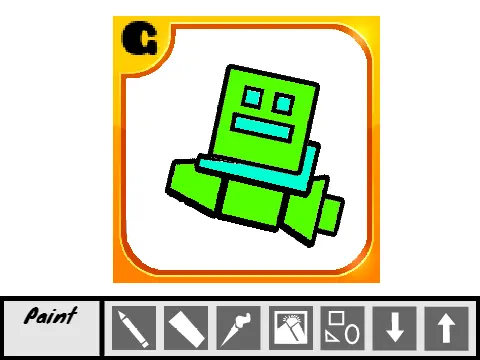
Unleash your creativity and personalize your Geometry Dash identity with the "Geometry Dash Icon Logo Maker", a dedicated in-browser design tool. This utility empowers you to craft custom icons and logos that resonate with your unique style, perfect for profile pictures, channel art, or personal projects.
Getting Started with the Tool
The interface is designed for intuitive use. Begin your creation by selecting your desired drawing instrument (like brush, shape, line) from the clear menu located at the bottom of the screen. Each tool comes with configurable options for finer control; simply click the accompanying gear icon next to a selected tool to access and adjust its specific settings, such as size, color, or opacity.
Essential Functions: Clear & Save
For a complete fresh start, locate the "Clear All" function within the Eraser Settings panel to wipe your canvas completely. A crucial performance tip for all users: overusing the standard point-by-point eraser tool can exponentially increase the size of your save data code, potentially causing issues. It is highly recommended to use the eraser sparingly. For major corrections or clean slates, always prefer the comprehensive "Erase All" button to keep your project file manageable and efficient.
Pro Design Tip & Best Practice
Remember to frequently save your creations to avoid losing your work. To incorporate text into your designs seamlessly and maintain an authentic Geometry Dash aesthetic, utilize the popular "Pusab" letter format. This community-favorite font style is the standard for in-game text and ensures your custom logos look professionally integrated with the official game's visual language.