osu Beatmap Reader
osu Beatmap Reader: Where Your Own Beatmaps Come Alive (Even with a Crappy Mouse)
Ever find yourself at 3 AM, not grinding for rank, but staring at the editor, trying to make a slider feel just right? Yeah, that's me. A mapper at heart, more obsessed with how a map flows than my own top plays. My goal? Simple: find a way to just play my favorite songs, my way. The setup? Pathetic – a budget office mouse that stutters on big jumps. But the tool? osu Beatmap Reader. It's less of a game and more of a playground for tinkerers.
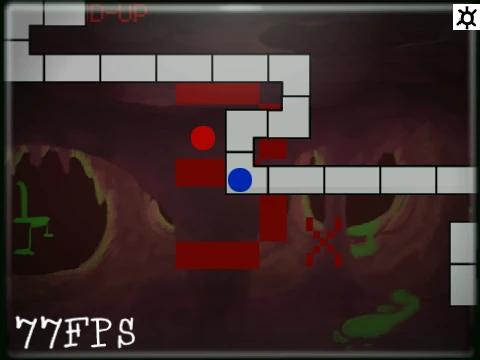
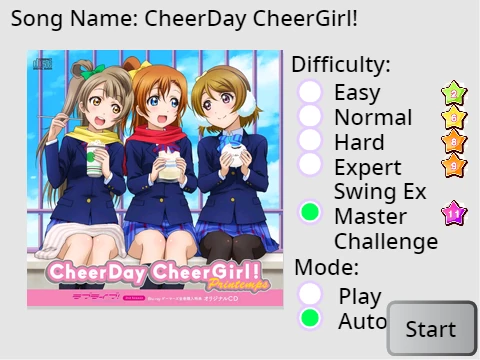
The magic trick here is importing your own '.osu' files. That's right, that map you spent hours on, or that obscure song you love that nobody mapped well? You can bring it here. The game throws you a lifeline with super clear, picture-filled in-game instructions. No more forum digging. It also boasts "wast modding support" (gotta love those typos) and even hints at letting you mess with custom game modes. For a project that acknowledges its own "Useless trash" section with dead links from 2023, it's surprisingly powerful where it counts – letting you play what you want, how you want.
I remember when people argued whether Western or Eastern mapping styles would dominate. Then a song would blow up from some anime nobody watched, and the whole meta shifted. It's funny how the game's history is tied to music trends most of us don't even understand. There was even that one time a mainstream news site did a tiny piece on a world record, and the forums exploded for a week. The community memory is just this huge, shared hard drive of hype and salt. It's wild to think about the effort to include more people, to make the game welcoming. At the end of the day, it all comes back to the music. Every map is someone trying to share a song they love.
How to Actually Use This Thing (It's Easier Than It Looks)
Forget complicated guides. The core of osu Beatmap Reader is its in-game tutorial. When you load it up, it should walk you through the process of getting your own beatmaps in. Basically, you need the .osu file from your osu! Songs folder. The game tells you how to handle it.
Want better performance? The creator suggests running it on TurboWarp. They've also got a separate Beatmap Editor project if you want to make maps from scratch.
Random Q&A That Popped Into My Head While Testing
Where can I even get the normal osu! game safely? Always go to the official site, osu.ppy.sh. That's the only source you should trust for the real client.
How do I hit more 300s and improve my accuracy? It's all about the timing window. A "300" isn't a single pixel-perfect moment; it's a window of about 27 milliseconds (on OD10). Stop trying to be perfect and start aiming to be consistently within that window. Your brain and muscles learn the rhythm better than your conscious aim.
How should I sit to not destroy my wrists? Seriously, don't hunch. Elbows at 90 degrees, wrists straight, screen at eye level. Your future self will thank you, especially during those late-night sessions.
Why do I feel stuck and not improving? Skill plateaus are the law of the land. You're not broken. Sometimes you need to play easier maps for accuracy, sometimes you need to take a full day off. Your brain needs time to wire the new skills together.
So, is osu Beatmap Reader for you? If you're the type who googles "how to edit skin.ini" or has a folder of unranked map WIPs, then absolutely. It's a specialized tool that turns the focus from climbing ranks to exploring the music and mechanics themselves. It's rough around the edges, proudly displays its old view-count milestones, and has a weird charm because of it. For the creator in all of us, it's a welcome dose of creative control.