osu mainia v2
osu mainia v2: For The Keyboard Purist Who Finally Wants to Customize Everything
Okay, let's talk optimization. You're the type who debates actuation points and spring weights. You see a game and immediately think, "How can I make this run on my potato laptop?" and "Can I change the key binds?" Welcome to osu mainia v2. This isn't just a game; it's a full-blown osu!mania 4K workshop hidden in plain sight. If you've ever been a mouse purist skeptical about tablets, this project might give you that same "aha" moment about customization.
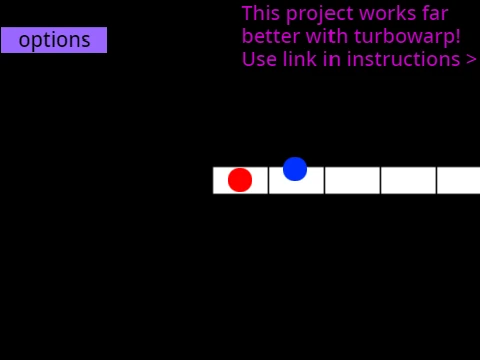
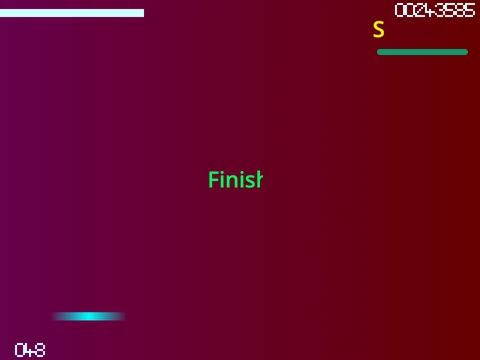
The basic controls are stated clearly: (D, F, J, K) to hit the notes. Clean, symmetric, professional. There's even a (P) to quit instantly—a quality-of-life feature the official game could use. The gameplay explanation is spot-on: "Press the button... on the exact moment the circle falls on the receptor." It describes holds for long notes. This is a technically sound foundation.
But then it goes DEEP. It gives you a list of color codes for skins: "25500=dark orange, 25512780=light cyan..." This is for people who don't just download osu skins, but need to tweak the exact hue. It explains how to edit sprites to make your own skins, even how to crop official osu skin assets to fit. This is next-level tinkering.
"The community's collective knowledge about obscure driver settings and Windows optimizations." "When hardware companies accidentally make products perfect for osu! and don't even know it." "The 'input lag spreadsheet' community project that scientifically tests every piece of hardware." "Documenting your setup journey on Reddit/forums. The chronicles of an obsessive."
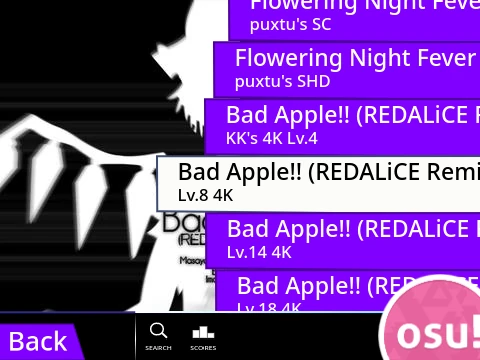
The crown jewel? The step-by-step guide on how to add your own osu! mania beatmaps. It tells you to go find a .osu file, copy its contents, use a web tool to add "/n" to each line, and import it. This is insane power for a Scratch-like project! It turns the game from a pastime into a personal beatmap archive and testing ground. Want to practice a specific map offline on your laptop? Here's how. This speaks directly to the goal of optimizing your setup and performance.
Imagine trying all this on a laptop trackpad as a challenge—it would be madness, but the kind of madness a scientist running an experiment would appreciate. This project demystifies the black box of osu beatmaps and osu mods. It makes you ask the fundamental questions: What IS osu! at its core? (A rhythm game about clicking to music). And how do I keep my hands healthy while doing it? (Stretch, take breaks, don't overdo it).
osu mainia v2 is a love letter to the technical underbelly of rhythm gaming. It's not just playing the game; it's owning the machine. Dive into those color codes. Try importing a map. You're not just a player here; you're the mechanic.