osu Standard with customisable cursor
osu! But Make It Yours: Custom Cursor Playground
So you've played osu! before. Maybe you've even farmed some pp maps, choked at 99% combo, felt that specific rage when you miss because you blinked. But have you ever thought: "Man, I wish I could change my cursor MID-PLAY"?
Well, someone did. And they made this thing.
⚠️ QUICK START GUIDE:
1. Press 1 to cycle through different cursor designs
2. Press 2 to toggle the cursor trail on/off
3. Use the arrow keys to make your cursor bigger or smaller
4. Default keys: Z and X for clicking (change in Settings)
5. For sliders: hold the key and follow the moving circle
6. For spinners: just spin your mouse like crazy
The moment you realize your tablet area was 2mm off-center for months. Everything suddenly feels right. Except here, it's not about your hardware - it's about finding that perfect cursor that just CLICKS with your brain. Some people need a tiny dot, others want a massive crosshair with trails that paint the screen. This game lets you figure it out on the fly.
You know that feeling when your fingers "lock in" during a stream and tap with mechanical precision you didn't know you possessed? Now imagine that, but with a cursor that's visually tuned to your preferences. Press 1, try a new style. Don't like it? Press 1 again. The customization is instant, no restart needed.
What's Actually In This Thing?
First off - jeez 10k+ views? The creator seems pleasantly surprised too. That tells you something about how thirsty osu! players are for customization options.
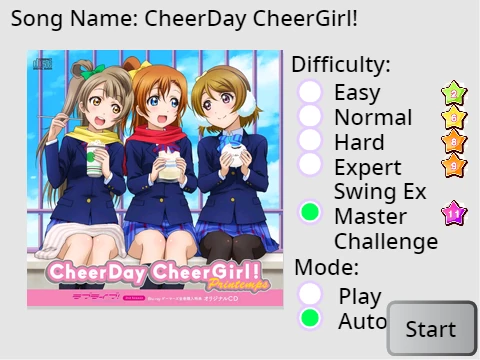
The Beatmaps: They got classics. "The Pressure" for when you want to feel anxious in rhythm form. "Hachigatsu no Yoru" for some Japanese vibes. "The Big Black" - because of course they included it. "Come & Get It (Nightcore Mix)" for that sped-up energy. Eight maps total, with more possibly coming.
Settings That Matter:
- Change your key bindings (not stuck with Z/X)
- Adjust hitsounds volume (that satisfying "tap" noise)
- Toggle autoplay to watch perfect runs
The Technical Magic: This isn't just another clone. It can IMPORT AND PLAY CHARTS FROM THE REAL GAME. That's huge. The creator admits their code is "utter spaghetti" but they're proud it works at all. "Timing strictness" is actually OD (Overall Difficulty) renamed to avoid confusion.
When background chat during a stream perfectly times a funny comment with your fail. Shared suffering. Except here, you can at least fail with a cursor you designed yourself.
Original game credit goes to Dean Herbert (ppy), and the creator shouts out timhortonsyo for the original project on Scratch.
Who Should Play This?
If you're someone who spends hours downloading osu skins trying to find the perfect cursor, this is your playground. If you've ever wondered how a different cursor might affect your aim, here's your testing ground. If you just want to play osu! in your browser with some extra customization flair... you get the idea.
The physical sensation of a perfect alternating stream—fingers dancing without conscious thought. That's what rhythm games are about. This version just lets you decorate the experience.
Keywords to remember: osu skin download, osu cursor customization, best osu cursor, online osu game, free osu play