Osu In Scratch
Osu In Scratch - A Full osu! Standard Mode Remake
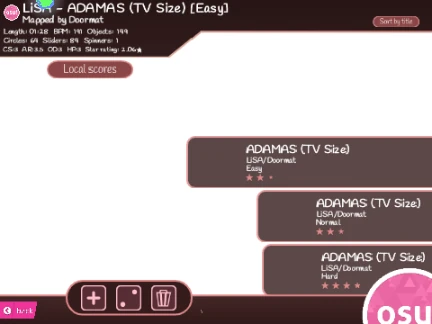
Osu In Scratch stands as one of the most complete and faithful recreations of the original osu! standard (osu!std) game mode available in a browser. Built on Scratch but best experienced on TurboWarp for superior performance and features, this project brings the iconic circle-clicking rhythm action to life online.
Precise osu! Gameplay Mechanics
Every element of osu! is accurately replicated:
- Hit Circles: Click when the outer ring perfectly overlaps the inner circle.
- Sliders: Click and hold (mouse/Z/X) to follow the slider ball along its trail.
- Spinners: Hold and rapidly spin your cursor around the center to fill the meter.
Use your mouse button, Z key, or X key to hit. Control volume with the scroll wheel, press P twice to quit a map, and use F11 for fullscreen immersion.
The Game-Changing Feature: Import Any osu! Beatmap
TurboWarp users can import their own beatmaps directly from the official osu! game, unlocking nearly endless content. Hereβs how:
- Run the project in TurboWarp.
- Prepare your chosen beatmap's .osu file as a .txt file.
- Upload the map's audio file to the 'Audio Files' sprite and its background image to the 'Background' sprite.
- In-game, click "Import Beatmap from osu!", right-click the list, select "Import", and choose your .txt file.
- Correctly enter the audio and background filenames (without extensions) in the final prompt.
Always credit the original beatmap creator. This import system makes Osu In Scratch an invaluable tool for practicing maps, playing osu! without the client, or experiencing the game on different devices.
With additional gameplay mods available and more planned, this project is a must-try for any osu! enthusiast looking for a versatile and authentic browser-based alternative.