Osu Mania V3
osu! Mania V3: The Pragmatic Farmer's Guide
Look, I'll be real with you - love it or hate it, ranking and scores are the game's skill currency. But with Osu Mania V3, you can learn to farm efficiently without getting obsessive about it. This Scratch-based take on osu!mania is surprisingly deep for what it is.
As a competitive player chasing those global ranks, I appreciate the 2-hour focused practice sessions you can do here. But here's the kicker: try playing with sound muted sometime. Forces you to rely purely on visual timing and pattern recognition. Brutal but effective training.
📋 Essential Controls & Gameplay:
Default keys: D, F, J, K (one for each column)
Hold notes: Press and hold for duration, release when line ends
Instant quit: P key during gameplay
Customization: Options menu lets you change EVERYTHING - keys, note speed, skin colors, tempo, hitsounds
Wait, You Can Add Your OWN Beatmaps?
Yeah so this is wild - you can actually import your own 4K osu!mania beatmaps. The instructions are in the game (look for the Map Master sprite), but basically:
- Get a .osu file from osu!
- Add "/n" to each line (use pinetools.com)
- Import into the project
- Add corresponding song and background
- Create a song button outfit named "Title//Version"
Suddenly you're not just playing a game, you're curating your own rhythm game experience. Which leads me to...
Those Weird osu! Player Moments:
Ever find yourself judging real-world architecture based on "how mappable" the rhythms would be? Yeah, that's what mapping does to your brain. Or realizing you learn more from failures than successes - each miss in Mania V3 teaches you about timing windows, pattern recognition, or just plain focus.
The real test comes when improvement requires admitting weaknesses and working on unfun skills. Maybe you're great at streams but suck at jumps. Or your left hand is weaker than your right. Mania V3 exposes all that with its customizable difficulty.
Common Questions About This Version:
• Why did my rank drop even though I didn't play?
Other players improved and passed you - it's a living leaderboard system.
• How do I join multiplayer lobbies?
This version doesn't have multiplayer, but the competitive aspect comes from weekly leaderboards.
• What are the best tablets for osu! beginners?
Honestly? For Mania V3, you don't need a tablet. A good mechanical keyboard matters more. Look for light switches like Cherry MX Red or Gateron Yellow.
⚠️ Performance Tip:
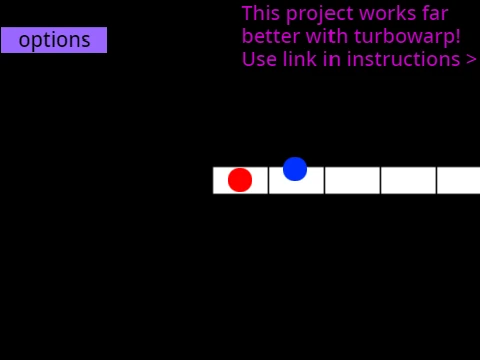
If you experience lag, change graphics options (disable fancy score, set pen mode to all) or play on these 60fps mirrors:
For the BEST experience, use TurboWarp at 120fps: TurboWarp 120fps
Skin Customization is Ridiculously Deep
You can edit the sprites directly to change note appearance, or import actual osu! skin assets (just cut receptor images to 176px height from bottom). The game includes color codes for quick changes:
- 25500 = dark orange
- 25512780 = light cyan
- 2551650 = pinkish magenta
- 23311681 = rose red
- 100149237 = indigo purple
Also check out the other osu! games by the same creator:
• osu!std (standard)
• osu!taiko
• remix version
Original game by Dean Herbert (Peppy), all code by @OliBomby. This isn't just a clone - it's a love letter to osu!mania with features even the original doesn't have (like full skin customization and beatmap importing in Scratch).