Osu Mania V3 remix v2
Osu Mania V3 Remix v2: The Customizable osu!mania Sandbox
Osu Mania V3 remix v2 empowers players to deeply customize their rhythm game experience, from gameplay content to visual style. A note of caution: this experimental version may be prone to crashes. For those willing to tinker, it offers unparalleled control over importing beatmaps and creating skins directly in the browser.
Core Gameplay & Controls
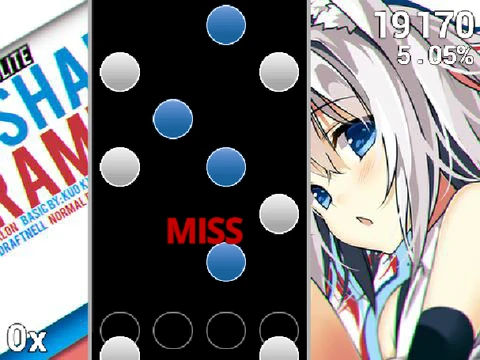
The foundation is the classic osu!mania four-key rhythm action. Use D, F, J, K (fully customizable in options) to hit notes as they reach the judgment line and hold down those with trailing ends. Press P at any time to instantly exit the current beatmap.
Import Your Own osu! Beatmaps
Break free from a limited song list. This game allows you to import any osu! standard beatmap for play in mania mode. The process involves:
- Converting the .osu file content into a specific text format.
- Pasting it into the dedicated import area within the 'map manager' sprite.
- Uploading the corresponding audio file and background image to the project.
- Creating a song select button with the precise naming format: "(Title)//(Difficulty Name)".
Complete Visual Customization with Skins
Transform the game's look entirely. You can:
- Edit existing sprites to modify note and receptor appearances.
- Directly import image assets from official osu! skin files.
- Add entirely new skin sets by creating new sprites named in the format "(skin-name)-(sprite-name)" and registering them in the skin option menu.
Detailed instructions are provided for preparing skin elements, such as cropping receptor images to 176 pixels in height from the bottom to center the hit area.
Ideal for advanced users and creators, Osu Mania V3 remix v2 is more than a game—it's a toolkit for building your personalized online rhythm gaming environment, supporting a level of modification rarely seen in browser-based titles.