Osu Mania No Anime
Osu Mania No Anime: Straight to the Point Rhythm
Alright, detective mode on. We've got a case here: a rhythm game called "Osu Mania No Anime". The title says it all—no frills, no flashy anime backgrounds, just you and the falling notes. It's perfect if you're like me, an HD specialist who strips away all the visual clutter anyway. I was playing this while hopping in a Discord call with friends, taking turns to see who would choke first. The vibe was chill, but the competition was real.
The goal here feels different. It's not just about scoring; playing this makes you think about how beatmaps are built. Maybe it'll inspire you to create and submit your own first beatmap someday. But let's say you want a real challenge? Try playing with only one hand. I did, for a joke, and let me tell you, it was a beautiful disaster. It really makes you appreciate the design of a standard 4-key layout.
Getting the Best Performance
The instructions are refreshingly blunt. They don't just tell you to play; they tell you how to play better. This is where the "Overclocker" mindset kicks in—we're shaving off milliseconds you can't even perceive. But your muscles can.
- Less Lag Tip: They recommend playing on a specific mirror for less lag and a stable 60 fps: forkphorus.github.io/#220672247. This is crucial. Frame drops are the enemy.
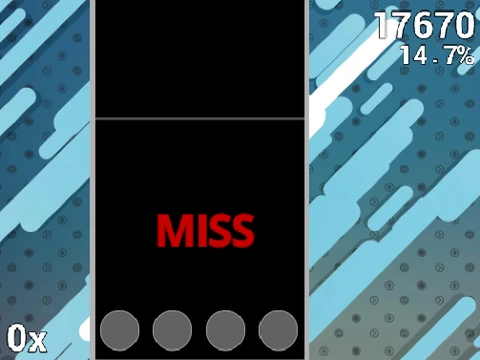
- Key Controls: Default keys are
D F J K. Hit the button when the circle aligns with the receptor. Hold the white extended notes. Press P to quit a map. All rebindable in options.
- Pro Settings Tip: They explicitly say: "Disable Fancy Score for less lag." Do it. Every bit of processing power matters.
- For True Beginners: They point out that "Anemone on Beginner is the easiest map". Start there. No shame.
Creating a skin that finally makes sliders readable, and feeling like you've solved a personal puzzle. The agony of having a "bad hand day" where your fingers refuse to cooperate despite mental readiness. The archival instinct: saving replays, screenshots, and scores like they're precious artifacts.
The final tip in the instructions is the most honest one: "Download Osu! and play the real thing." This game knows what it is—a fun, accessible gateway. It answers those nagging questions: What are the different hit object types (circles, sliders, spinners)? Why is osu! lagging/stuttering? Use this to find your rhythm, then maybe take the next step.