Osu Mania V3
Osu Mania V3: Where Playing Meets Making
Ever get that feeling? You watch a replay of your first big play and cringe at how sloppy it looks now, but also feel a weird pride because dang, you made that happen. Osu Mania V3 lives in that space—between playing a rhythm game and building your own little corner of it. It's not just about hitting notes; it's about deciding what those notes even are.
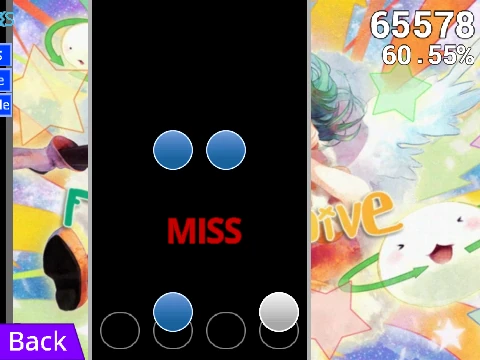
Let's get the basics out of the way first, cuz the in-game guide is... thorough. Controls are simple: smash D, F, J, and K as the circles fall down their four columns. Hold down for the long slider-y ones, let go when they end. Hit 'P' to peace out instantly if a map is beating you up. That's your core loop.
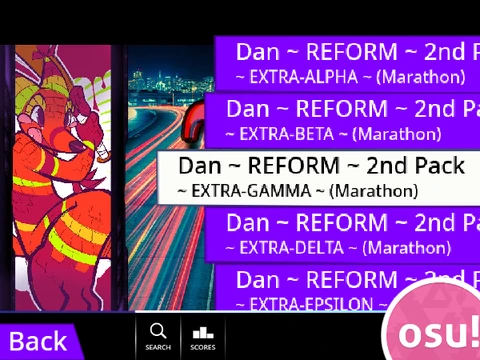
But the magic—and the mild headache—starts when you click on that 'Map Master' sprite. See, this Scratch project is built like a template engine. The dev left the door wide open. You can rip out all the default songs and charts (there's code blocks to clear the lists, thank goodness) and plug in your own 4K osu!mania beatmaps. It involves opening your .osu file in a text editor, copying everything, and using an online tool to add "/n" to every line so Scratch understands. Yeah, it feels a bit like following one of those technical tutorials that look like programming guides but are really just about circle placement. You might spend 40 minutes just getting one song to work, and non-mappers will never get why you'd do that for a "free game." But then... it loads. Your song plays. Your notes fall. And you realize you can now pass (or in this case, *create*) maps that looked absolutely impossible three months ago.
That's the real hook. This isn't just a player; it's a prototyping station. Stuck in a boring online class or waiting for a download? Fire this up, import a WIP section of a map you're making for actual osu!, and feel how it plays in a stripped-down environment. No fancy storyboards, just you, your rhythm, and your patterns. Want to test a new skin? You can import actual osu! skin assets—just gotta crop the receptor images to 176 pixels from the bottom first. There's even a list of hex codes for the "skin colour" option if you wanna tweak the vibe from "dark orange" to "rose red." It's a playground for the detail-obsessed.
So, who's this for? If you're the type who opens the editor more than the play menu, if you have a spreadsheet tracking your mapping progress (data-driven suffering, we love it), or if you just wanna mess around with a specific mapper's style to understand their flow, Osu Mania V3 is a brilliant, janky, creative tool. It turns the act of playing into an act of study and creation. And when you finally get your own chart running perfectly, it's a different kind of adrenaline rush—not a tournament clutch, but the quiet satisfaction of building something that clicks.
Just remember to set up your chair right before a long mapping session. Wrist health is no joke, even when you're just making circles fall to music.